Vyrex 6 MAX
AI Video Editor.
Upload your footage, describe the edit, and get a finished video back. Built for creators and brands making short-form creative or long-form YouTube edits. Choose a monthly plan, pay securely, then create your account to start. Extra credits are available while your plan is active.
How it works
From footage to finished edit.
- 01
Upload and brief
Upload your footage and describe the edit.
- 02
Accept a fixed quote
See a length estimate, then accept a fixed credit quote after your brief.
- 03
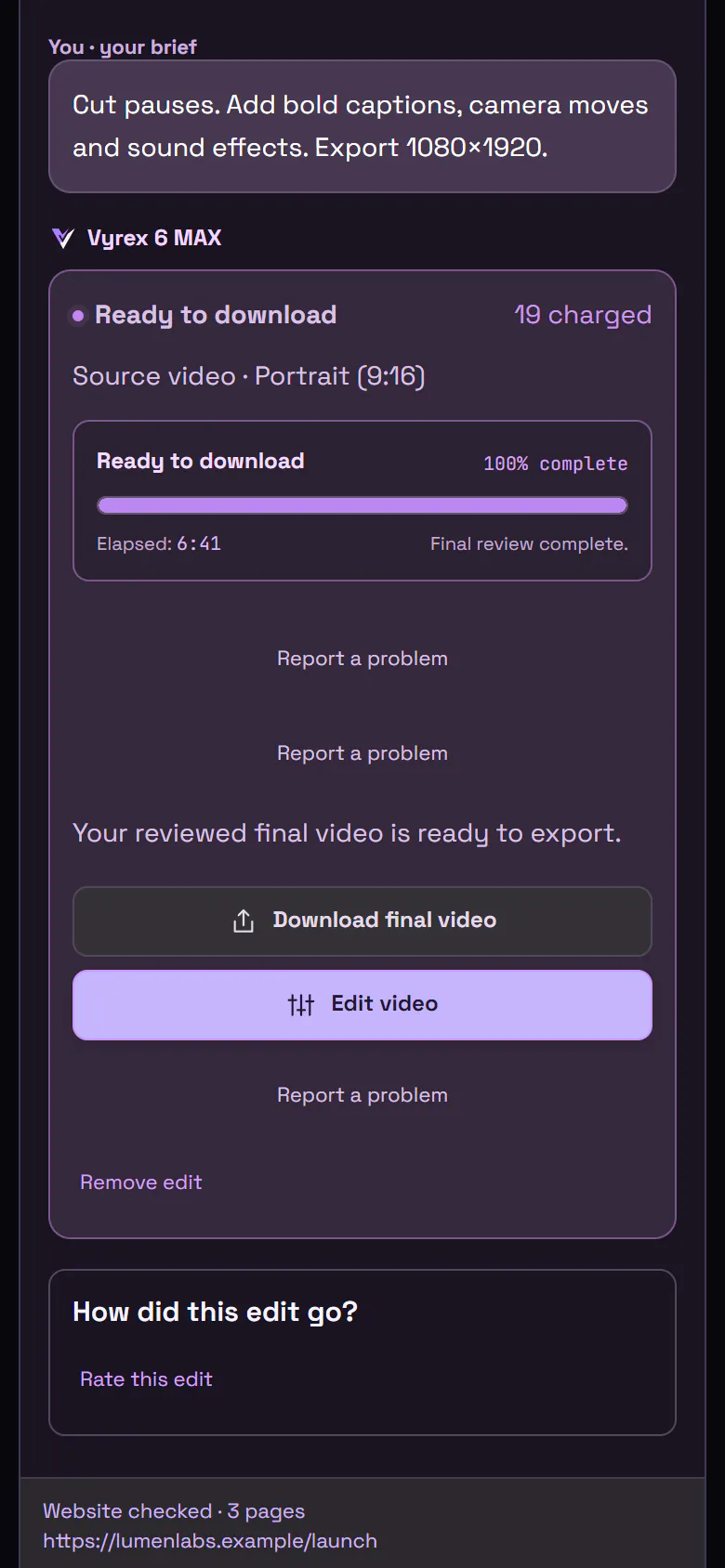
Review and download
Follow progress, review and download the finished video. Credits are charged only on success.
Original footage is deleted after delivery. The final export and saved project remain; revisions that need the originals ask for a re-upload.
The real editor
See every step before you buy.
These are screenshots of the AI Video Editor itself. Click a step, tap the numbered dots, or open a screenshot full size.
Real product screenshotsStart in your own workspace: your credit balance is always visible and you add footage in one click.
Pricing
Choose a monthly plan.
Monthly plan
Creator
$129.99/ month
List price · charged as £98.99 at checkout
- 500 credits every month
- Up to 35 one-minute edits
Monthly plan
Pro
$199.99/ month
List price · charged as £150.99 at checkout
- 800 credits every month
- Up to 57 one-minute edits
Monthly plan
Studio
$299.99/ month
List price · charged as £226.99 at checkout
- 1250 credits every month
- Up to 89 one-minute edits
Every plan: a fixed credit price you accept before each edit · credits back if an edit fails · cancel renewals any time. Edit counts assume a clean one-minute edit of similar-length footage.
Need more credits?
One-time top-ups while your plan is active.
- 50 credits$13.99
- 150 credits$36.99
- 300 credits$72.99
See the full price list by video length
Estimated video prices
By finished length, with a clean finish and source footage about the same length.
Credits scale with finished seconds. Quality, motion and extra source footage set your quote. After your brief you get a full fixed quote, and you accept it before any credits are used.
Clean editing: 0.2 credits per second, minimum 8. With simple motion: 0.3 credits per second, minimum 12. Whole credits are rounded up.
| Finished video | Without motion graphics | Simple motion graphics |
|---|---|---|
| 15 sec | $3.9214 credits | $3.9214 credits |
| 30 sec | $3.9214 credits | $3.9214 credits |
| 60 sec | $3.9214 credits | $5.0418 credits |
| 2 min | $6.7224 credits | $10.0836 credits |
| 5 min | $16.7960 credits | $25.1990 credits |
| 10 min | $33.58120 credits | $50.37180 credits |
| 20 min | $67.16240 credits | $100.73360 credits |
Estimated value of the credits used, at the 50-credit subscriber top-up rate (about $0.28 per credit). This is the value of credits used, not a standalone video purchase. Simple motion means animated titles and basic transitions. Bespoke animation, compositing and complex graphics receive a separate quote. A monthly plan comes first; extra credit packs need an active plan. Checkout shows the exact amount in GBP.
First-month rewards you saved earlier keep their original terms. Use the same email when you buy and they apply automatically.
Before you begin
Questions, answered.
Which AI powers my edits?
Your edits are created with Vyrex 6 MAX, our managed editing system. We keep its underlying technology private.
What kinds of videos can I make?
Create short-form and long-form edits in portrait, landscape or square format. There is no upload size cap. Your chosen finished length and export must fit the options shown in your workspace.
What do the plans cost?
The USD base monthly tiers are Creator $129.99 for 500 credits, Pro $199.99 for 800 credits, Studio $299.99 for 1250 credits. Square shows the actual GBP first-month and recurring amounts before you agree to purchase. A first-month reward saved earlier can reduce only the first month by up to 60%; existing fixed-dollar rewards keep their original terms. One offer per customer; no cash alternative.
Can I use my AI Video Editor credits for the AI Image & Video Creator?
No. AI Video Editor (Vyrex 6 MAX) credits pay only for edits and AI Image & Video Creator (Vyrex 6 Content Workflows) credits pay only for that product. The two balances are separate and cannot be exchanged.
How many credits will an edit need?
You will see a quote before an edit starts. The amount depends on your source footage length, finished video duration, quality and motion choices. Failed or cancelled edits return all reserved credits.
What happens to my original footage?
Original footage is kept privately while you revise, then deleted when you press Complete. If you don't, your edit closes automatically 24 hours after its final render and the original is deleted then; your final video stays available to download. An open quote, queued edit or running edit of the same footage keeps it open; a revision that fails or is cancelled starts a new 24-hour window; and footage given a later closing date under our earlier policy keeps that date. The workspace shows each date. Unused uploads are removed after 24 hours. The final export and saved project remain until you remove the edit.
What if editing is busy when I buy?
Your edit waits in line and starts as soon as capacity is available. Your credits stay reserved, not spent, and nothing counts against you while it waits.
When will I receive access?
After payment, use the claim link in your receipt to create your account or sign in. Your credits are saved for your email and available in your workspace.
Why verify my email?
Email verification connects your paid credits and receipt to your account. You can use the link in your receipt later if you leave before finishing setup.
Vyrex 6 MAX is open
Make your next edit with the AI Video Editor.
Choose a monthly plan, pay securely, then create your account to start.